© 2026
UltimateDesktop · 10 Mar 2020
Sign in to rate this game in seconds.
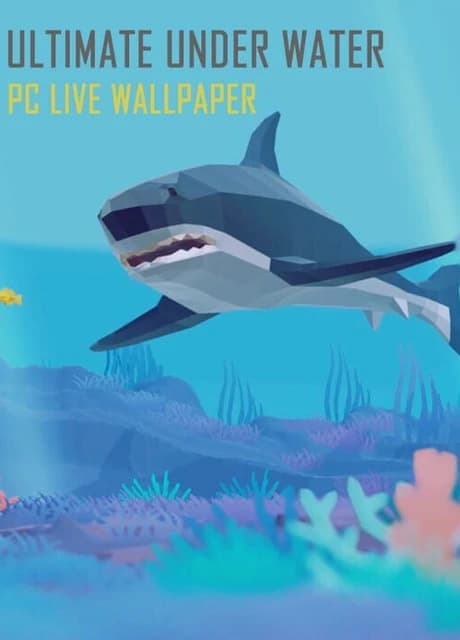
Ultimate Under Water is a clean and stylish interactive 3D live wallpaper that display cute low-poly under water fishes on the desktop with animated backgrounds. You can control and interact with fishes with your mouse.
Ultimate Under Water is a clean and stylish interactive 3D live wallpaper that display cute low-poly under water fishes on the desktop with animated backgrounds. You can control and interact with fishes with your mouse.
Q: Why can't I see the desktop icon? A: 1. Make sure your Windows had enabled Aero 2. Adjust Windows System "System Properties>>Performance Options>>Visual Effects" to "Adjust for best appearance" 3. Please add UltimateUnderWater .exe and CoreHost.exe in App folder Path to your AntiVirus Software's Trust-White-List and Restart computer
Q: How to turn the audio off? or How to Mute? A: Right click the tray icon and select menu item "wallpaper setting" ,click right side the third button "options" and checked the "Mute" option.
Q: How to remove Steam Hook? A: Right click the UltimateUnderWater tray icon and select the menu item "Preferences..." ,Uncheck the "Enable Steam Support", Restart UltimateUnderWater .
Q: Can I use UltimateUnderWater with WallpaperEngine at the same time? A: NO. Live wallpaper software is exclusive. So if they are used at the same time, they will cover each other.
Q: How to Exit/Shutdown UltimateUnderWater ? A:1. You can exit UltimateUnderWater from tray icon menu "Exit" (Screen Bottom-Right corner,near by your WIFI icon). 2. if can not found the tray icon, please open the system TaskMgr to kill the processes "UltimateUnderWater .exe"
English, Simplified Chinese, Russian, Japanese
No reviews yet. Be the first to share your thoughts!
Write a ReviewNo discussions yet. Be the first to start a conversation!