© 2026
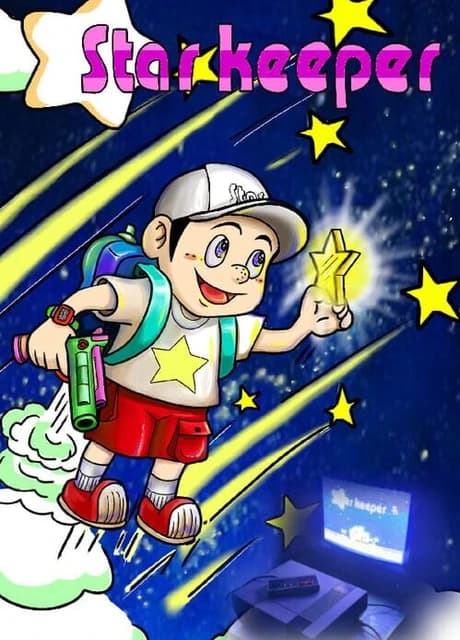
Curious why gamers in the 80s were so addicted to NES games? Star Keeper will take you on a journey to experience the joy of staying up all night to beat this NES game!
Star Keeper PC Version is a ported version of the NES Homebrew game "Star Keeper", originally released by 87Arts in 2014.the entire game is essentially built upon the NES source code with the addition of an emulator that simulates NES and cartridge hardware functionalities. The original level music is generated by FamiTracker and played as PCM. The newly added bonus levels and Easter egg music, on the other hand, utilize 8-bit sound effects that mimic the NES. The PC version includes the following additions and modifications based on the NES replica version. (1) Redesigned the first level, shortening the length of the stage and adjusting the positions of the stars to make it easier for players to get started. (2) Added two Easter eggs, including a Christmas Easter egg in the first level. (3) Added a bonus stage where you need to collect as many stars as possible within a 115-second countdown. After the countdown ends, you will be rewarded with an extra life for every 35 stars collected. (4) The NES music engine has been fixed to address playback issues and make the music effects more closely resemble the original FTM sound. (5)In the PC version, a new feature called "Instantly Restart Current Level" has been added. While in the gameplay state (able to freely move), holding down the Select button will trigger the event to restart the current level. The player character's lives and weapons will be reset to their initial state. (6)The game now includes a password continue feature. After completing levels 4 and 6, a level password will be displayed, allowing players to continue from those levels at a later time. (7)The music in level 4 has increased from 28 seconds to 54 seconds
The main objective of the game is to collect stars scattered throughout the scene and throw them into the protagonist's house through the chimney.as long as the hero touches the yellow large shiny star in the sky, he will obtain one star. When players want to throw the stars into chimney, they only need to control the hero to fly above the chimney, then the hero will throw the stars one by one automatically, and the star will drop into the chimney accurately.
The game defaults to keyboard controls. W, A, S, D correspond to Up, Left, Down, Right respectively (similar to NES D-pad). C and V correspond to select and start buttons respectively. J and K correspond to B and A buttons respectively Press Right Alt+Enter to enter full-screen mode, and press Esc to exit full-screen. You can also use a controller for gameplay. You will need to configure it in the controller settings interface.
On the game title screen, press the select button or the C key on the keyboard to select the menu, and then press the Start button or the V key to enter the options. The menu has three options.
Press the Select button on the controller or the C key on the keyboard to start the configuration. Then, follow the flashing button icons to set the controller buttons. Press the Start button on the controller or the V key on the keyboard to complete the configuration.
Use the up, down, left, and right directions to select the password position. Use the A and B buttons to switch between password patterns. Once the input is complete, press the Start button to attempt a password match. If the password is correctly matched, the game will jump to the corresponding level. Press the Select button to return to the title screen.
Shoot key BBlow in float mode, press key A to accelerate upAccelerate to left in float mode, press key LeftAccelerate to right in float mode, press key RightAccelerate to decline in float mode, press key DownDrop stand on clouds or steps and press key Down + A, one can drop from the stepsGet down in walking mode, press key DownPause check the remaining number of stars and lives; in the process of one level, press Start button (Note: it will work after the words on the screen disappear for a while). Restart Level holding down the Select button will restart the current levelRestart Game holding down select key and the 'down' direction key simultaneously for 2 seconds to return to the game title screen
AB Gun Ordinary BulletsBidirectional AB Gun shoot AB bulletes in two directions simultaneously.High-Pressure Water Gun shoot high-pressure water in three directions of front.Alpha-Ray Gun shoot two spiral energy rays.Protection Ring the rings shot from four angles of hero is used for short-range protection, while the AB bullets shot to the front is for remote-range attack.
Heart, One Grid Is Added to Heart **Accelerat
No reviews yet. Be the first to share your thoughts!
Write a ReviewNo discussions yet. Be the first to start a conversation!