© 2026
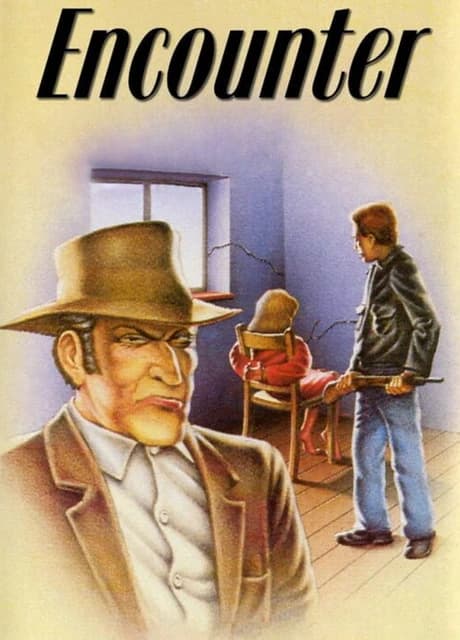
Race against time to save a kidnapped teen in 2 hours! Play as a cunning PI, diving into a thrilling mystery. Type commands for retro vibes or use arrow keys to pick actions, crafting solutions to conquer obstacles in this classic-meets-modern adventure. Can you crack the case?
Revisit the memories of a British Private Investigator, who in September 1982 was charged to locate and free a kidnapped teenager. An informant gave you some hints, and equipped with a rough map and a tight time frame you start your mission.
Visually the game is inspired by the 'Noir ' comic books and presents visually the result of all your actions - be they good or bad -.
You start the game on the market place: This is where you parked your car and where you need to go back to finish the mission successfully.
There are about 50 locations to explore, connected logically on a NORTH, SOUTH, **EAST **and WEST fashion, with a few locations that can only be accessed by going UP or **DOWN **(for example by climbing down a hole or moving up stairs).
The available directions are indicated at the center of the screen with a four directions arrow pattern.
The game is played with the keyboard using arrow keys to move around, and by typing or selecting text commands to perform actions. The list of commands can be shown in the game at any time by entering the HELP command (or hitting the key).
*Note: Quite a few of these commands are synonyms and were added because it felt just right. As far as the game is concerned, TAKE and GET are doing the same thing, so are DROP and PUT, **FRISK **and SEARCH, or LOOK, EXAMINE and INSPECT. If you feel like to FRISK the FRIDGE or SEARCH the THUG, that's all right! *
If you were a fan of 80s adventure games, you can fully type your commands, but if you can also play the game like a classical Point'n Click adventure: Instead of typing your commands you just need to press space to bring in a menu with all the commands and lists of items you can use. You can then uss the four direction arrows as well as the space bar to select them.
These control also work with legacy type four direction joysticks, but also just fine on the Steam Deck where you can use any of the directional controls (dpad, analog sticks, ...) to select options and the (A) button to select.
As in most similar games you will encounter quite a few interactable elements - "items" - which you will be able to EXAMINE. Some will be possible to take with you or modify, or even combine with other items, while a few others are impossible to TAKE and can only be inspected (like the CHURCH or the WELL).
Above the command prompt in the blue area is a list of all the items present in the location you are standing in, while the black area under is your inventory, where all your possessions are located.
When you TAKE items, they move from the location to the inventory, and the opposite happens when you DROP items.
If you are not quite sure about the actual name of the item, you can press the SHIFT key to highlight the important part of the name, like for example CABINET in "a medicine cabinet" or MORTAR in "a mortar and pestle"
Note: Most items will stay where you left them, with a few exception like liquids which may drain away or evaporate
To successful solve the case you will most definitely have to use of many of these items.
Here are a few of the commands you can use.
Single object commands:
Dual objects commands:
Encounter is not a puzzle game, but it features a few obstacles you need to solve in order to progress. Most of the obstacles have more than one solution, and generally speaking the more elegant the solution is, the more points you will get for it.
If you managed to pass an obstacle using lethal force, know that there was most probably an alternative solution not involving any form of violence. Each of the alternate solution unlock one of the possible achievements!
Also please note that there are many clues in the images, so inspecting items and scenes can hi
English, French, Norwegian
No reviews yet. Be the first to share your thoughts!
Write a ReviewNo discussions yet. Be the first to start a conversation!