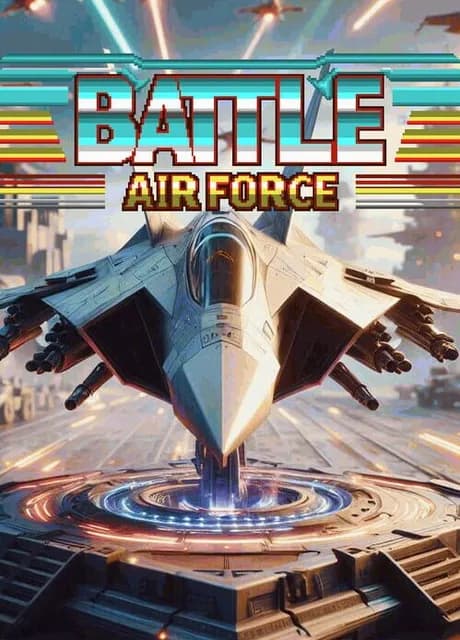
Three years after Battle Marine a new battle is about to begin! Battle AirForce is the first orthodox style vertical scrolling bullet hell STG since NOKOGI Rider by SUZUKI PLAN. It was created in Z80 full assembly language, aiming at a level close to the limit of VGS-Zero.
Battle AirForce is a vertical scrolling bullet hell STG.
Story
Three years after Battle Marine you have been rescued by an enemy soldier and decided to defect to the opposing nation.
In your homeland, the commander who lured you into a trap has become emperor in a military coup. The emperor is now expanding his territory by invading formerly neutral countries while converting them into colonies.
You have risen up to thwart his ambitions in Battle AirForce.
Player Controls
- The autocannon is fully automatic.
- The laser can be charged with energy while holding the button and fired by releasing.
- Canon and laser can be fired simultaneously.
- The players movement slows slightly while the laser is charging and even slower when it is firing.
- The laser can cancel enemy bullets.
Recommended Game Controller
We recommended playing with one of the following game controllers:
- SteamDeck
- Logicool (Logitech) F310 series
If you are playing on a PC we have confirmed that F310 can be played successfully on all operating systems. (Windows, macOS, Linux (Ubuntu Desktop))
The game is built to take full advantage of the SteamInput API. As a result the game can function with numerous game controllers, not just the F310. The SteamInput menu allows you to customize your input.
As for SteamDeck, we have not yet verified this as we are not entitled to submit a compatibility check, but it worked fine as far as we have independently verified.
Additional information for playing with the F310
- When playing on Windows the switch on the back of the F310 must be set to “X” (XInput mode).
- When playing on macOS or Ubuntu Desktop the switch on the back of the F310 must be set to “D” (DirectInput mode).
Keyboard Assignments
- Z: Autocannon
- X: Laser
- Space: Start & Pause
- Cursor-keys: D-Pads
- R: Reset (macOS, Linux)
- Ctrl+R: Reset (Windows)
- Q: Exit Game (macOS, Linux)
- Ctrl+X: Exit Game (Windows)
- Alt+Enter: Toggle Full Screen (Windows)
Player's Life
- When the player collides with enemy aircraft or enemy bullets the life gauge will decrease.
- When the life gauge is empty your game is over.
- When your life is not full you can continuously shoot ground targets to obtain recovery hearts.
- Obtaining a recovery heart restores partial life but with the penalty that the hit combo is reset and the number of medals obtained is reduced.
Elements of Scoring
- In Battle AirForce the player earns "Shooting Points" by shooting enemies with the autocannon, "Bullet Erase Points" by canceling enemy bullets, and "Bonus Points" from medal acquisitions.
- Shooting Points = number of medals acquired x 30 + number of HIT combos x 10 points
- Bonus Points = number of HIT combos x 10 points
- Bullet Erase Points = number of HIT combos x 10 + number of medal acquired x 10
- When adding the Shooting and Bonus points to the score, their added values are attenuated linearly depending on the amount of laser charge.
- Shooting Points is not added while the laser is being fired.
- The number of medals you get decreases as you fire lasers or as your life gauge decreases.
- The number of HIT combos is continuously added by firing shots and lasers within 60 frames (about 1 second) or by acquiring medals, up to a maximum of 9999 HITs on display.
- Medals are automatically tracked when you are in proximity.
- If the HIT combo number is over 1000, the medal will be auto-tracked from the beginning.
- Aim for a high score by maintaining the number of HIT combos while obtaining medals as long as possible.
Simple score increase guidelines
- When combos and medals are low, you aggressively use lasers to try to increase combos and medals.
- When combos and medals are high, you shoot lasers as little as possible to score points.
Player's Special Abilities
Your newest machine, the Battle AirForce, has the special ability to slow down the speed of bullets when enemy bullets approach your AT zone. This special ability is automatically activated.
Stage Composition
- This game has four areas each with four phases (16 phases in all).
- There are 16 different enemy characters in each phase.
- Once the phase is completed the ZAKO RUSH mode is unlocked.
ZAKO RUSH
- Of the total of 16 phases, you can play phases that you have completed once in the main game.
- You have unlimited lives in this mode.
- Total number of times played, number of times cleared with no mistakes, and high score will be recorded.
Leaderboards
-
View high scores obtained in the main game and ZAKO RUSH
-
Press the START button to play the replay movie of your high score.
-
The global leaderboard can be viewed by pressing the LEFT or RIGHT keys.
-
The global Leaderboard allows you to view the scores of the Top 16 players from all over the world and view replays of when those players earned those scores.
-
Downloading replays that have not been registered for a short time may cause an error. If an error occurs, please wait a while a